Xero for Tradies Australia: The Complete Setup Guide
Most Australian tradies on Xero are using about 20% of what makes it valuable. This guide covers that 20%: the four settings to configure once, the three reports worth checking weekly, the five mistakes that cost tradies money at BAS time, and where Xero's own JAX assistant fits in.
Korda Team

Why most tradies aren't getting value from Xero
You're subscribed to Xero. You've sent a few invoices through it, it connects to your bank, and your accountant mentions it every time you speak. But ask yourself honestly whether the numbers are accurate and whether you're getting real value. For most Australian tradies, the answer is not really.
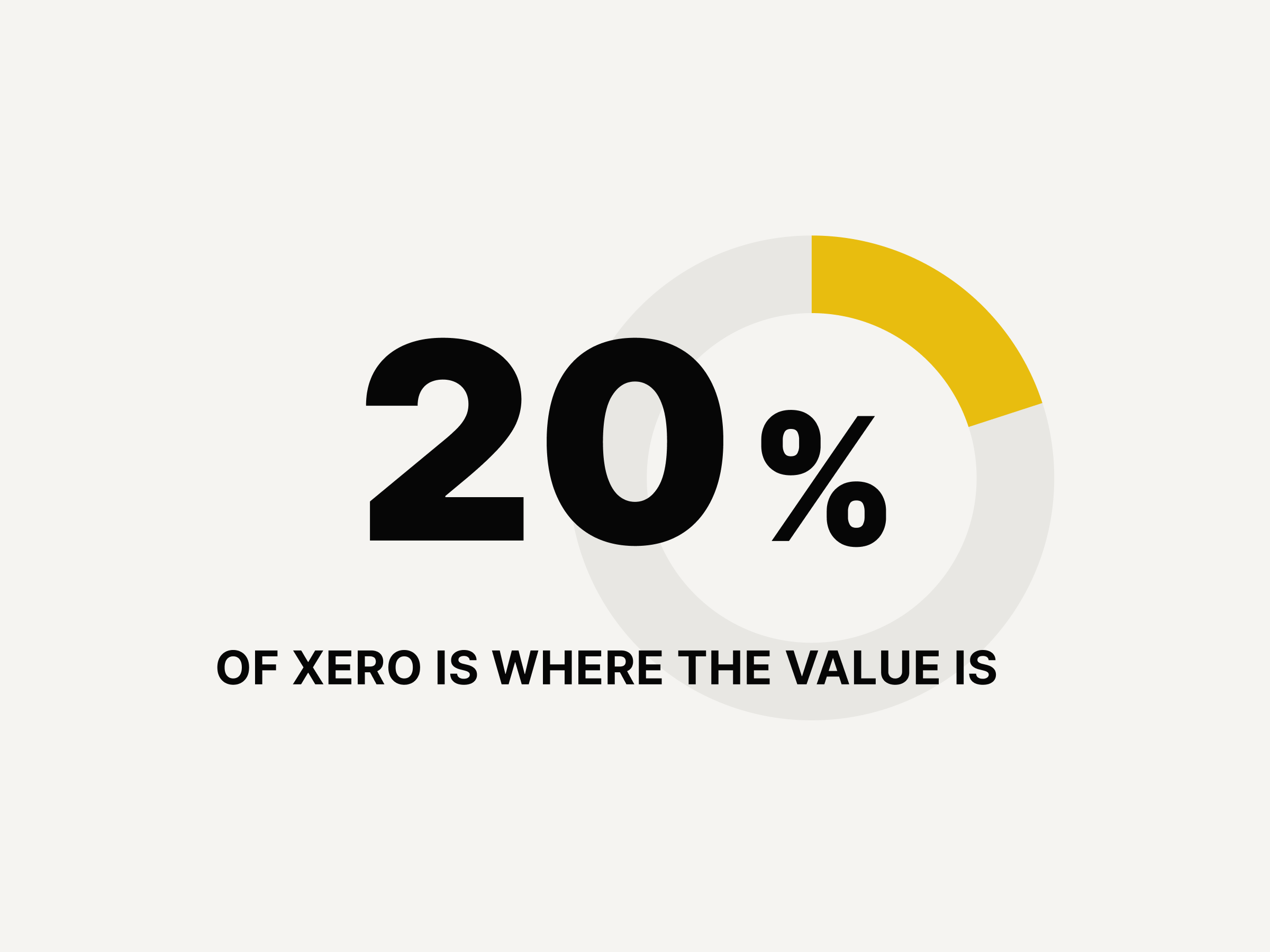
This isn't about doing anything wrong. Xero was built for businesses in general, and nobody has told most tradies which parts actually matter for a trade business. The 20% that matters is almost identical whether you're a sole operator in Geelong or running a three-crew electrical outfit in Brisbane.
Where Xero's JAX assistant fits into this
If you've seen Xero mention JAX as a built-in AI assistant, you might wonder whether a setup guide like this is still needed. It is, and it's worth being clear about why.
JAX is good at a specific set of tasks: reconciling transactions against your bank feed, answering questions about your GST position, and drafting an invoice once a job is already sitting in Xero as a billable record. If you're already inside Xero working with data that's already there, JAX genuinely helps.
JAX doesn't get the job into Xero in the first place. The four settings below, the reports worth checking, and the habit of sending an invoice the same day a job finishes— none of that is JAX's job. That still depends on you, or on whatever sits between the job site and Xero capturing it.
Think of JAX as making the data already inside Xero easier to work with. This guide, and Korda Pro, is about getting good data into Xero in the first place, sent the same day, with the right tax code, without typing it in from memory at 9pm.
Xero setup for tradies: 4 things to configure once
Get these four right at the start, and the rest of Xero largely looks after itself.
1. Simplify your chart of accounts
Xero's default chart of accounts is generic. Simplify it to reflect how a trade business actually runs.
For income, use at most three accounts: Services, Materials, and Other Income. Don't create separate income accounts for each trade type or job category; your profit and loss report will turn into noise.
For expenses, keep it to categories you'll actually use: Cost of Sales (materials purchased for jobs), Subcontractors, Motor Vehicle, Tools and Equipment, Phone and Internet, Insurance, Accounting and Legal, and Bank Fees. Add others only when you genuinely need them.
Your accountant may want to adjust the chart after your first year; that's fine. The goal now is a clean, usable structure, not a perfect one.
2. Get your Xero tax codes right from day one
Tax codes are where most Xero mistakes happen, and where most BAS problems originate. Most of what you charge clients attracts GST, and most of what you buy for the business attracts GST you can claim back. The code for both is GST.
Where it gets complicated: wages to employees are not subject to GST (use Wage Expense). Some insurance is GST-free; check the invoice; it will say. Bank fees and superannuation are BAS-excluded.
The most common mistake: marking a GST-inclusive purchase as having no GST, usually because the tradie assumed the supplier didn't charge GST when they did. This understates your GST credits and costs money at BAS time. When in doubt, check the tax invoice; if it shows a GST amount, use the GST tax code.
3. Set up your invoice template
Configure this once in Xero Settings under Invoice Settings. Add your logo, make sure your ABN is showing, and set your default payment terms (7 days is standard for most trade work). Add your bank account details so clients can pay without asking.
The template applies to every invoice from that point. It takes fifteen minutes to set up and saves that time on every invoice you'd otherwise complete manually.
4. Build bank rules for recurring transactions
Bank rules tell Xero how to categorise transactions it sees regularly, such as your phone bill, fuel card, or regular supplier payments. Once set, Xero applies the rule automatically every time. Reconciliation goes from a twenty-minute job to a two-minute one.
Start with your five most frequent recurring transactions and build rules for those. Within a month, the bulk of your reconciliation will be automatic.
The 3 Xero reports tradies should check regularly
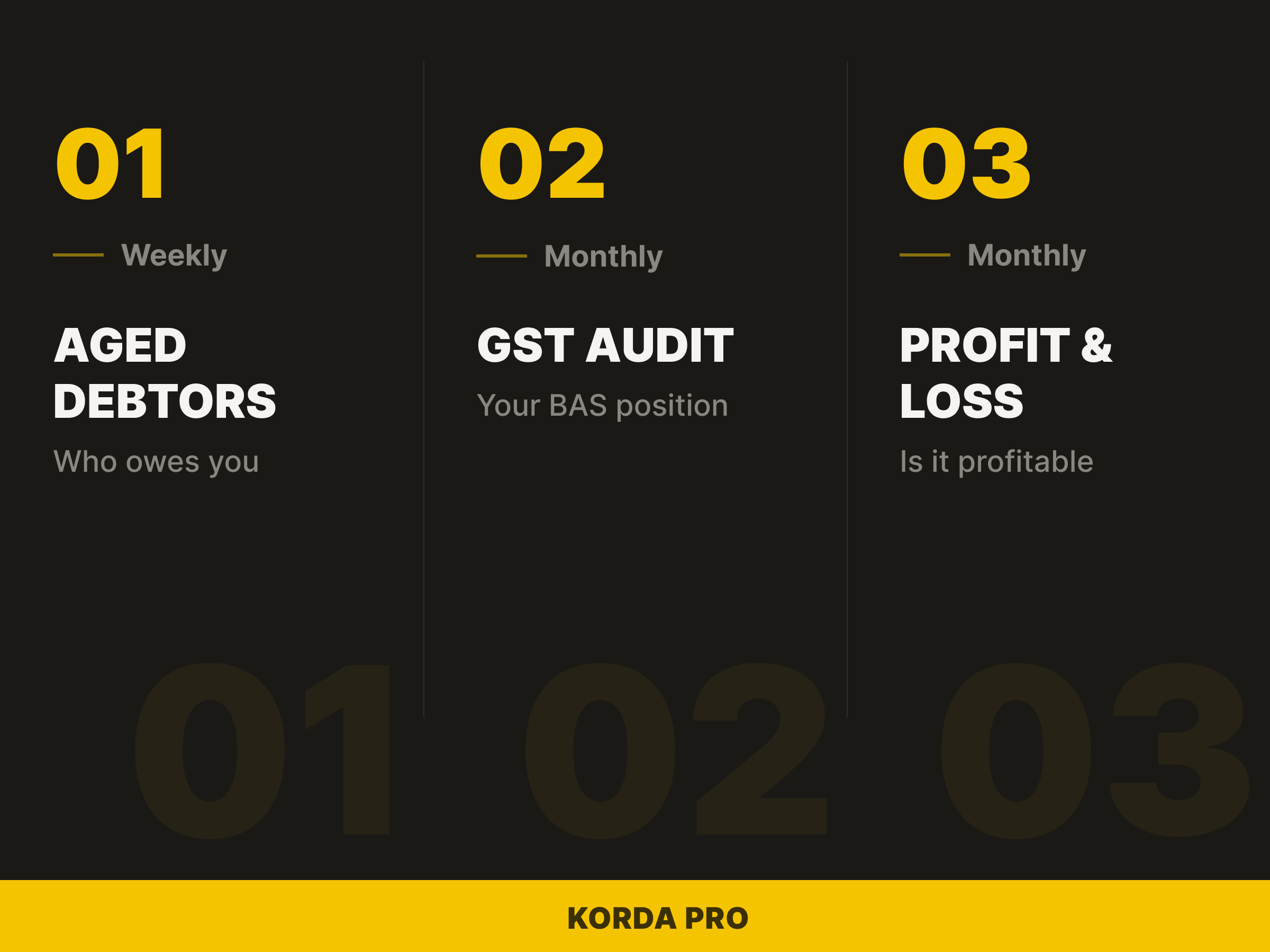
Xero has dozens of reports. Three matter for a trade business without a bookkeeper. The rest are either for your accountant or for situations you're not in yet.
Aged Debtors (check weekly)
Shows every invoice you've sent that hasn't been paid, grouped by how long it's been outstanding: current, 1–30 days, 31–60, 61–90, and 90+. It is the most useful report in Xero for a trade business, and the least read.
Current needs no action. 1–30 days overdue is ready for a follow-up. 31–60 days needs a firm message today. 90+ days requires a phone call and possibly a difficult conversation.
Find it under: Reports > All Reports > Aged Receivables Summary.
GST Audit Report (check monthly)
Shows your GST position for any period, how much you've collected on sales and how much you can claim on purchases. Running it monthly tells you what your BAS liability will look like before your accountant runs the actual BAS, so there are no surprises at quarter-end.
If you've collected significantly more GST than you've paid, it usually means purchases have incorrect tax codes. A monthly check catches those errors while they're easy to fix.
Find it under: Reports > Tax > GST Audit Report.
Profit and Loss (check monthly)
Revenue minus expenses equals profit. Run it monthly for the current month and year-to-date to see whether the business is making money and where it's going.
The number most tradies find surprising the first time they run a proper P&L is motor vehicle expenses— fuel, rego, insurance, and maintenance across a working fleet add up quickly.
Find it under: Reports > Financial > Profit and Loss.
What to handle yourself vs what to hand to your accountant
You handle: sending invoices, reconciling bank transactions, checking aged debtors weekly, running the monthly P&L and GST report, and keeping receipts for business purchases. None of this requires accounting knowledge; it requires consistency.
Your accountant handles: lodging your BAS, preparing your end-of-year tax return, advising on structure and tax planning, and reviewing your Xero setup if something looks wrong. They work from the data you've kept current.
The most expensive thing you can do with your accountant's time is hand them Xero that hasn't been touched in three months and ask them to fix it before lodgement. Get the basics right, and the relationship shifts from remedial to strategic.
5 common Xero mistakes tradies make
1. Too many accounts in the chart. More accounts means more decisions on every transaction and a P&L that tells you nothing useful.
2. Wrong tax codes on purchases. Marking GST purchases as no-GST leaves money on the table every BAS. When in doubt, check the tax invoice.
3. Not reconciling. Unreconciled transactions mean your reports, GST position, and aged debtors are all wrong. Reconcile at least fortnightly, weekly if you're busy.
4. Ignoring the aged debtors report. This report gets you paid. Invoices sitting in the 31–60 day column aren't going to pay themselves.
5. No bank rules for recurring transactions. Manually categorising the same fuel card transaction every week wastes time a five-minute setup would eliminate.
When does a tradie need a bookkeeper?
Four signals. If two or more apply, you're probably past the point where handling it yourself is the right call.
• You're not reconciling at least monthly, and you know it.
• Your BAS preparation is taking more than two hours, including time spent panicking.
• You've had to call your accountant to fix errors in Xero before lodgement.
• You've added a subcontractor, employee, or second crew, and payroll/super complexity has increased significantly.
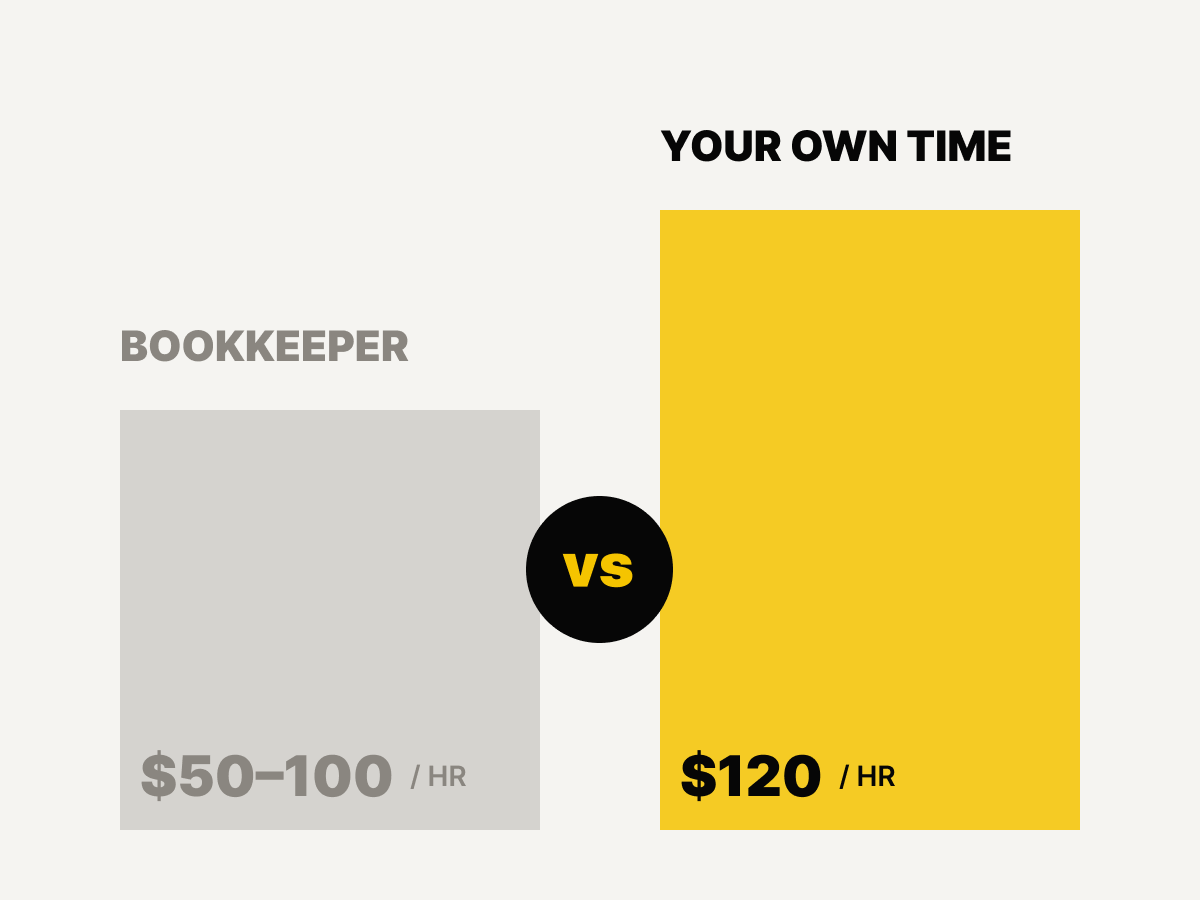
A bookkeeper costs between $50 and $100 per hour for most small trade businesses, typically two to four hours per month for a sole operator with clean records. At $120 per hour for your own time, the maths is simple.
How your invoicing habits affect all of this
Everything above assumes one thing: the invoices going into Xero are current. An aged debtors report is only useful if you send invoices promptly. A GST report is only accurate if invoices use the right tax codes. A P&L only reflects reality if the income side is up to date.
The single biggest improvement most tradies can make to their Xero isn't a setting or a report; it's sending invoices the same day the job is done. When that happens automatically, directly from WhatsApp, with the Xero record created at the same moment, the financial picture in Xero stops lagging two to five days behind reality. The reports become trustworthy. The BAS becomes straightforward. The accountant's job gets easier.
That's what Korda Pro does: WhatsApp-native invoicing for Australian trade businesses, with every invoice pushed straight into Xero the moment the job's marked done, and an automated, notified follow-up sequence once it's sent.
Frequently asked questions
Do tradies need a bookkeeper if they use Xero?
Not necessarily. A sole operator with clean, weekly-reconciled records can run Xero without a bookkeeper. A bookkeeper becomes worthwhile once two or more warning signs apply: irregular reconciliation, BAS prep taking over two hours, recurring errors your accountant has to fix, or added payroll complexity from hiring staff or subcontractors.
How often should a trade business reconcile Xero?
At least fortnightly, and weekly if the business is busy. Reconciliation keeps every other report in Xero, including aged debtors and GST position, accurate.
What's the best Xero chart of accounts for a tradie?
A simplified one: three income accounts (Services, Materials, Other Income) and around eight expense categories (Cost of Sales, Subcontractors, Motor Vehicle, Tools and Equipment, Phone and Internet, Insurance, Accounting and Legal, Bank Fees). Only add extra accounts when you genuinely need to.
Which Xero report matters most for tradies?
The Aged Receivables Summary (Aged Debtors report). It shows exactly which invoices are overdue and by how long, and is the report most directly tied to getting paid.
What's the most common Xero mistake tradies make?
Marking a GST-inclusive purchase as having no GST, usually because the supplier's invoice wasn't checked carefully. This understates GST credits and costs money at BAS time.
Does Xero's JAX assistant replace the need for tools like Korda Pro?
No. JAX works with data already in Xero, reconciling transactions, tracking GST, and drafting invoices from existing billable records. It doesn't capture the job itself, the quote, the variation, or the moment a job actually finishes on site. Korda Pro sits earlier in the process, turning a voice note from the job into the invoice that lands in Xero, then automatically follows up via SMS, WhatsApp, and Email with highly personalised messaging from friendly to firm when chasing unpaid invoices.